Maker Growth Hub framework

The Customer Compass

Every product has more than one buyer. The compass finds them — and the feeling they’re buying.

  • One product, many buyersA photo ornament isn’t a wedding ornament. It’s a memory keeper: wedding, pets, memorial, anniversary — anything with a photo.
  • Feelings, not specsBuyers don’t buy the engraving. They buy what giving it makes someone feel — and what giving it makes the buyer feel.
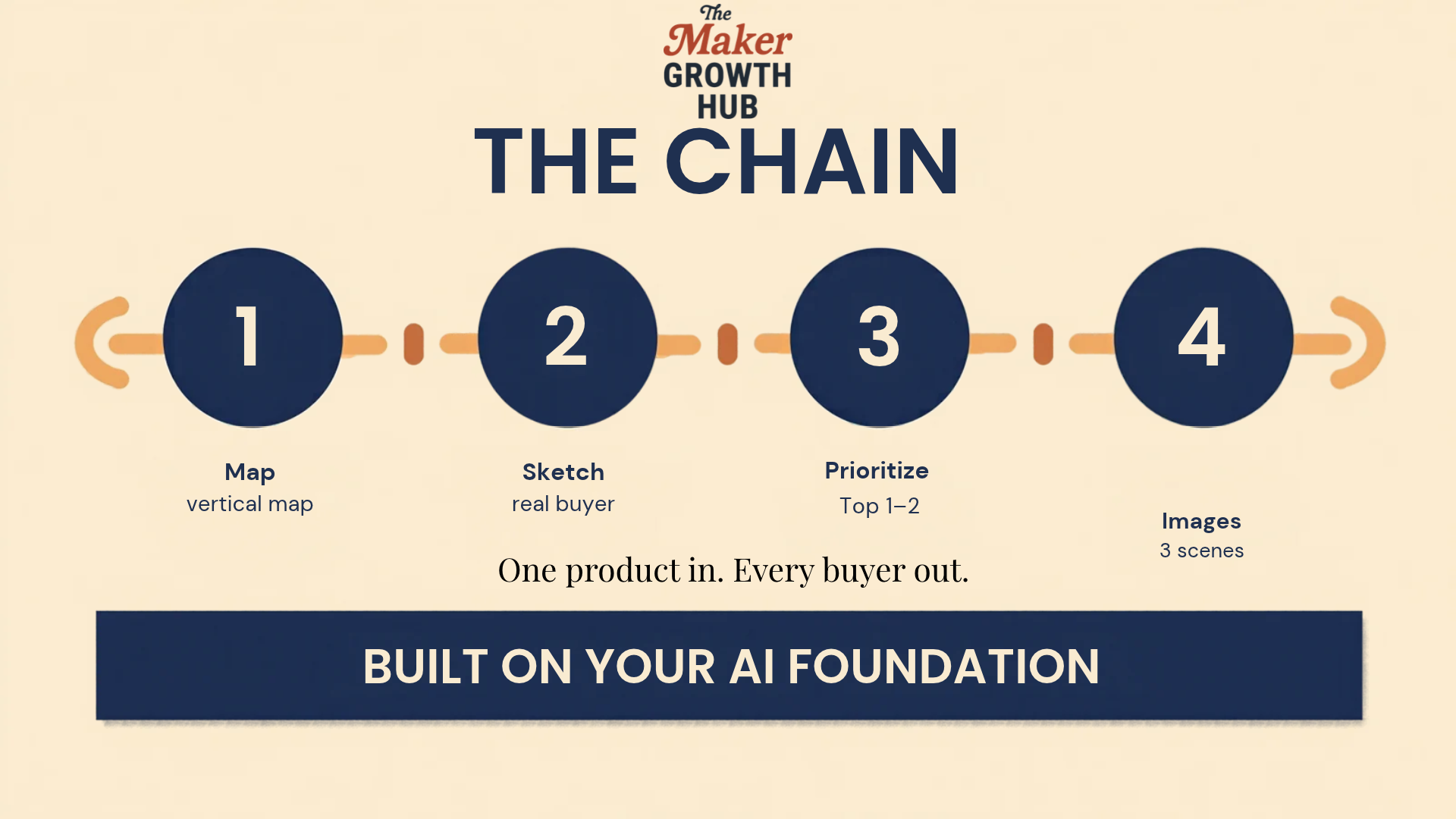
  • Four stepsMap the verticals, sketch the buyer, pick the fight, turn it into photos that sell.
  • Runs on your FoundationEvery step runs inside your AI foundation project — the setup that already knows your products, your brand, your customers.

Stop selling the product. Start selling the moment. The compass is how you get there — one product in, every buyer out.

The ornament that taught us

One product. One buyer. Until the compass.

The product was a personalized ornament you can upload a photo to. The whole campaign — every post, every listing — focused on weddings. And it worked, as far as it went.

Then the compass: a beautifully handmade ornament that holds any photo isn’t a holiday ornament for a tree. It’s a memory keeper. Show the wedding, yes — but also the pet, the memorial, the anniversary. Pretty much anything you’d have a photo for could have gone into that frame.

One of our members had the exact same epiphany with the same kind of product. Until the alignment with the customer compass, neither of us knew. Only showcasing it with weddings limits so many other markets.

Before the compass

One product, one buyer

Personalized photo ornament, sold as a wedding keepsake. Every post, every listing, one occasion — and every other buyer never sees it.

After the compass

One product, every buyer with a photo

Wedding. Pets. Memorial. Anniversary. Anything with a photo. Same ornament, same work — shown to the buyer who’s already looking for it, in the feeling they’re buying.

That’s the shift the compass makes: every product has multiple faces, multiple verticals, multiple buyers. It moves you from selling products to selling feelings, emotions, vibes.

The base layer

Your AI Foundation holds the whole thing up

The compass works because it doesn’t start from zero. It runs on top of your AI Foundation — a saved set of instructions + knowledge that you give your AI tool once, so it knows your shop forever after. It lives as a Claude Project or a ChatGPT Custom GPT.

This is the lesson that makes everything else in the Hub actually work. Every prompt pack, every template, every “hey try this” assumes you have a Foundation set up. Without it, prompts produce generic AI sludge. With it, the same prompts produce content that sounds like YOUR shop.

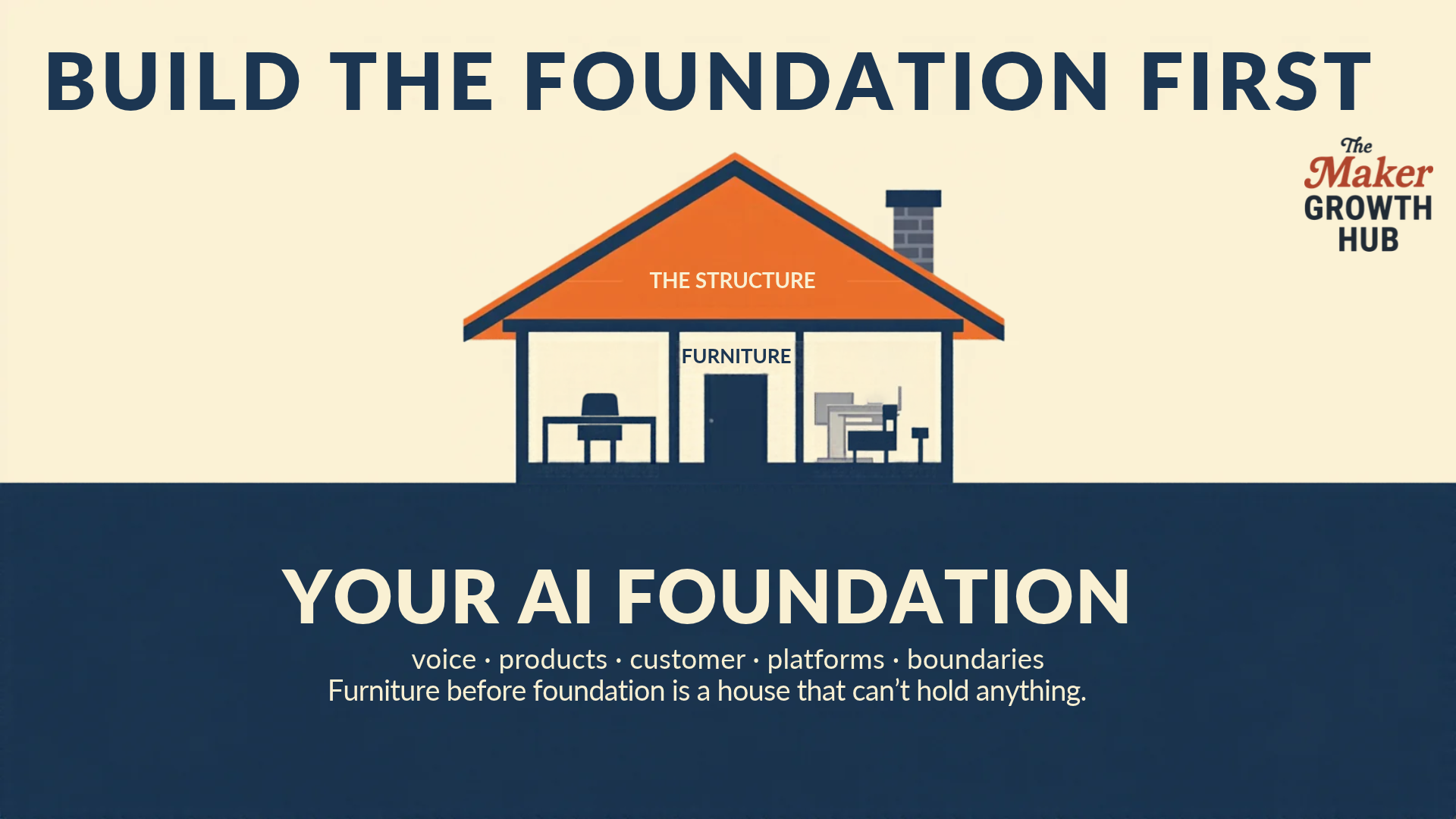
Think of it like the foundation of a house.

Too many people focus on picking out and buying furniture before they have an architecturally sound structure. The cornerstone of the program is this: you have to have a strong foundation that will support everything you want to put on it and inside of it.

A house cross-section: the AI Foundation at the bottom, the structure rising from it, and furniture inside

Brand Voice

How you sound when you write.

Products

What you actually sell.

Customer

Who buys from you.

Platforms

Where you sell and post.

Boundaries

What you don’t want the AI doing or suggesting.

Setting it up takes about 45 minutes — the highest-leverage hour you’ll spend on your business this month. And the compass feeds it back: everything the compass produces gets saved into your foundation project, so each session builds on the last. The Sketch step’s closing paragraph becomes a reference doc in the project — and it’s what makes every future session smarter.

The exploded view

Four steps. No shortcuts.

The compass is a chain — each step feeds the next. Skip one and the rest wobbles. And the whole chain sits on your AI Foundation: the AI already knows your shop, and everything the compass produces feeds back into it. Here’s what each step does, and what comes out of it.

Step 1 — Product-to-Vertical Mapper

Start wide: your whole catalog in, a vertical map out.

1

What it does. Takes your products and maps the buyer-worlds each one can serve — occasions like weddings, graduations, retirements and memorials; roles like teacher, coach, nurse and boss; communities like pet owners and sports parents; buying contexts like corporate gifting, team awards, fundraisers and events.

What comes out. A vertical map for every product: three to six verticals each, and for each one, who actually pulls out the wallet (often not the end user), what moment triggers the purchase, and what the gift is supposed to make the recipient feel. It flags the one vertical where the product is the strongest fit.

Step 2 — Ideal Customer Sketch

Go narrow: one product, one vertical, a real person.

2

What it does. Takes one product and one vertical from the map and sketches the buyer as a specific person — not a demographic blur. Who they are, what just happened to start the search, where they already spend time, and the words they’d actually type or say.

What comes out. The feeling being bought — what the gift must make the recipient feel, and what giving it makes the buyer feel — plus the two or three silent objections that stop the purchase. It ends with a one-paragraph Customer Compass you save back into your foundation project as a reference doc — and it’s what makes every future session smarter. That paragraph is the compass itself.

Step 3 — Vertical Prioritizer

You’ll end up with more verticals than hours.

3

What it does. Scores every product-and-vertical combo from one to five on four things: demand proof (is there evidence people already buy this?), ease of proof (can you make and photograph one great example this week?), competition gap (can you offer an angle the print farms can’t?), and your energy (do you actually want to serve this buyer again and again?).

What comes out. A ranked list and a recommendation for the top one or two — and a pushback when you’re chasing a vertical the scores don’t support. This is the step that picks the fight worth having.

Step 4 — Compass-to-Image Bridge

Where the circle closes.

4

What it does. Turns the compass into buyer inputs for your product photos: the setting where this buyer imagines the product living, the person in the scene, the emotional register of the moment, and the moment being captured.

What comes out. Three scene concepts, each one sentence, each grounded in a real photo of your product — ready to hand to image generation. Know the buyer, and your images sell that buyer’s feeling.

Where the compass lives

The map is free. The run is in the Hub.

Everything on this page is the framework — what the compass is and how the four steps fit together. The prompt chain itself and the full walkthrough lesson live inside the Maker Growth Hub, where members run it on their own catalogs and bring their compasses back to the group. The AI Foundation setup lesson lives there too — it’s the lesson the whole system is built on.

The compass was created in the Hub in July 2026, and it’s been shaping how members list, photograph and price their work ever since.

Questions

Before you run it

What is the Customer Compass?

A four-step way of finding every buyer for a product you already make. It maps the buyer-worlds your product can serve, sketches one real buyer for the best fit, helps you choose where to focus first, and turns that buyer into photos that sell the feeling — not just the product.

What is the AI Foundation?

A saved set of instructions + knowledge you give your AI tool once, so it knows your shop forever after. It lives as a Claude Project or a ChatGPT Custom GPT, and it holds five things: how you sound, what you sell, who buys from you, where you sell and post, and what you do not want the AI doing. Every Compass prompt runs inside it — that is why the compass works.

Do I have to change my product to use it?

No. The compass does not change what you make. It changes who you show it to and what you say about it — the same ornament, shown to a wedding buyer, a pet owner, or someone marking a memorial, is a different product in each buyer’s hands.

Is the compass free?

This page is free, and it shows you the whole framework. The prompt chain itself and the full walkthrough lesson live inside the Maker Growth Hub, where members run it on their own catalogs.

How is this different from picking a niche?

A niche picks one buyer and stops there. The compass maps all of them first, then helps you choose where to focus — and the focus can change. A product that serves weddings today can serve memorials or corporate gifts tomorrow, without making anything new.

Bring your product list. Leave with a compass.

Run the compass on your catalog

The full prompt chain, the walkthrough lesson, and the Foundation setup live inside the Maker Growth Hub — along with the pricing tool, the planner, and the members who’ve already run it on their own products.

Join the Maker Growth Hub